draw_critical_values#
- pycafee.normalitycheck.lilliefors.Lilliefors.draw_critical_values(self, ax=None, export=None, extension=None, file_name=None, dpi=None, decimal_separator=None)#
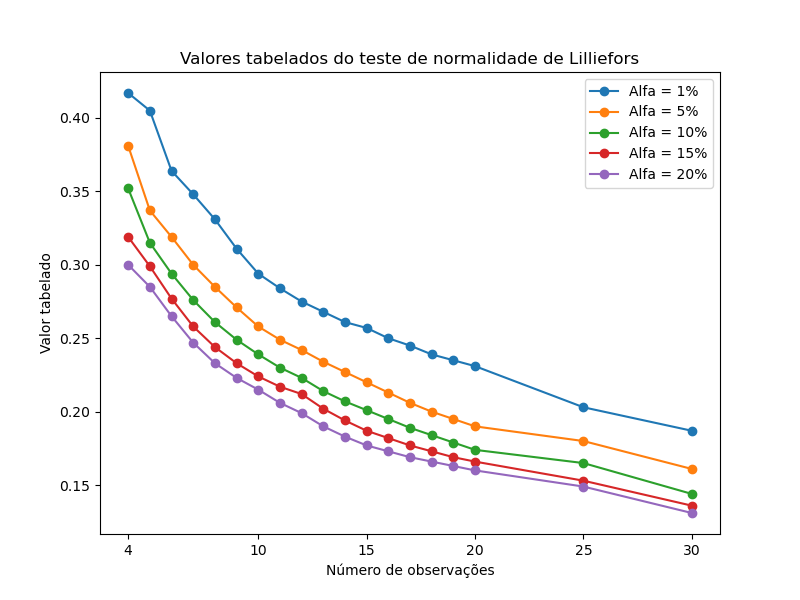
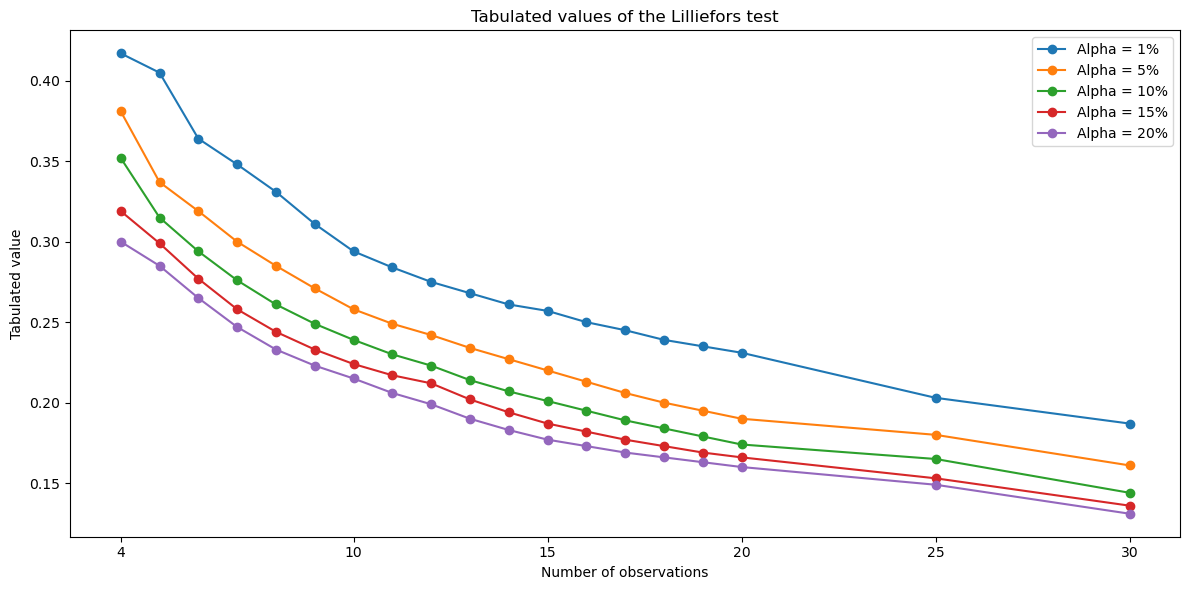
Draw a plot with the Lilliefors original [1] critical data.
- Parameters
- ax
Noneormatplotlib.axes.SubplotBase If
axisNone, a figure is created with a preset design. The other parameters can be used to export the graph.If
axis amatplotlib.axes.SubplotBase, the function returns amatplotlib.axes.SubplotBasewith the Lilliefors tabulated data. In this case, the other parameters do not affect the graph.
- export
bool, optional Whether the graph should be exported (
True) or not (False). The default value isNone, which impliesFalse.- file_name
str, optional The file name. Default is
Nonewhich results in a file named"lilliefors_critical_plot".- extension
str, optional The file extension without a dot. Default is
Nonewhich results in a".png"file.- dpi
intorfloat, optional The figure pixel density. The default is
None, which results in a100 dpispicture. This parameter must be a number higher than zero.- decimal_separator
str, optional The decimal separator symbol used in the chart. It can be the dot (
Noneor'.') or the comma (',').
- ax
- Returns
- axes
matplotlib.axes._subplots.AxesSubplot The axis of the graph.
- axes
See also
get_lilliefors_tabulated_valueReturns the tabulated value for the Lilliefors test.
Notes
To obtain the tabulated values of the Lilliefors test, use:
References
- 1
LILLIEFORS, H. W. On the Kolmogorov-Smirnov Test for Normality with Mean and Variance Unknown. Journal of the American Statistical Association, v. 62, n. 318, p. 399–402, 1967. DOI: 10.1080/01621459.1967.10482916.
Examples
Using the figure created inside the function
>>> from pycafee.normalitycheck.lilliefors import Lilliefors
>>> lilliefors_test = Lilliefors()
>>> lilliefors_test.draw_critical_values(export=True)
    The 'lilliefors_critical_plot.png' file has been exported
Using a previously created figure
>>> import matplotlib.pyplot as plt
>>> from pycafee.normalitycheck.lilliefors import Lilliefors
>>> lilliefors_test = Lilliefors(language='pt-br')
>>> fig, ax = plt.subplots(figsize=(8,6))
>>> ax = lilliefors_test.draw_critical_values(ax=ax)
>>> plt.savefig("lilliefors_plot.png")
>>> plt.show()